
Creating a professional website in 24 hours might sound like one of those “too good to be true” internet promises—right up there with becoming a millionaire overnight or waking up with perfect skin. But surprisingly, it’s not only possible, but it’s also actually practical when you follow the right process. In this post, I’m sharing exactly how I pulled it off—without losing my sanity, surviving only on coffee, and yes… making a few mistakes along the way. To improve performance,
The idea started as a challenge: could I design something that looked clean, modern, and fully functional in just one day? No endless tweaking, no overthinking fonts for three hours (okay, maybe just one hour). What I discovered was that speed doesn’t always mean sacrificing quality—if you know what to prioritize. From choosing the right tools to focusing on user experience instead of perfection, every step played a crucial role.
So if you’ve ever wondered how to build a professional website in 24 hours—whether for a client, your portfolio, or your next big idea—you’re in the right place. Let’s break down the process and prove that fast can still be fantastic.
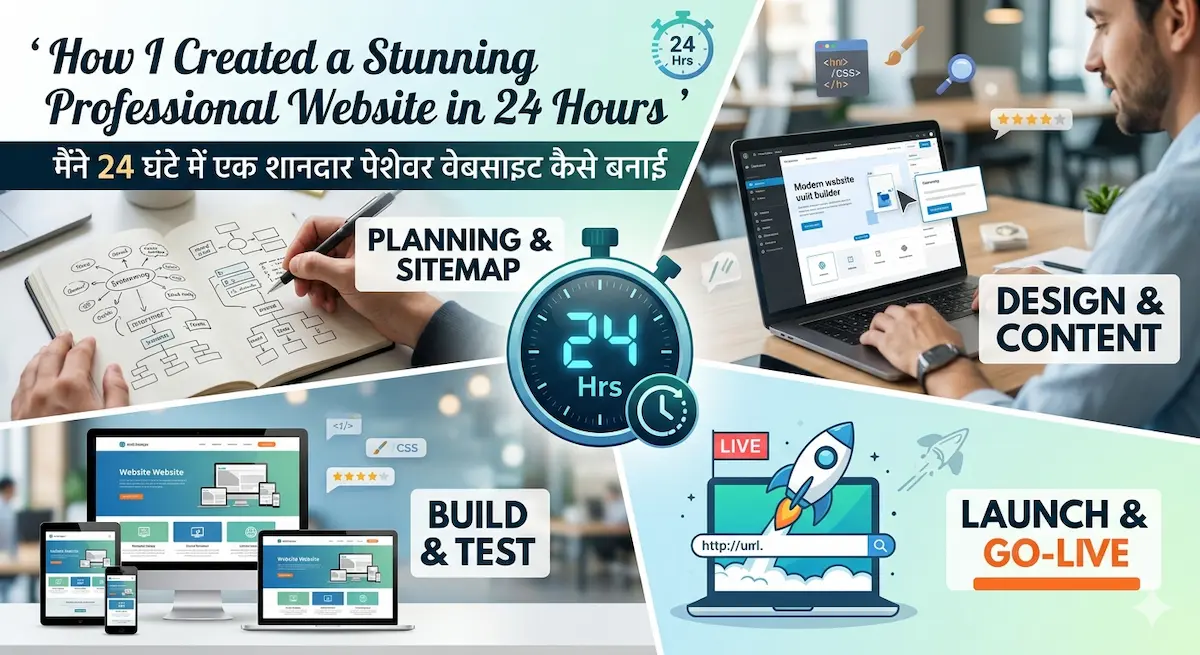
Planning My Professional Website in 24 Hours (Strategy First)
Before jumping into design, I quickly realized that building a professional website in 24 hours without a plan is like trying to cook a 5-star meal without a recipe—you’ll probably end up with something… but not something you’d proudly serve. Planning was the real time-saver here. Instead of wasting hours fixing mistakes later, I spent a short but focused time mapping everything out. Trust me, a little planning now saved me from a lot of “what was I even thinking?” moments later.
Why Planning Saved Time
Planning helped me avoid constant back-and-forth decisions. Without it, I would’ve been stuck choosing colors for two hours (which, let’s be honest, still almost happened). By defining things early, I kept the workflow smooth and distraction-free. It made the whole professional website in 24 hours goal feel achievable instead of chaotic.
Choosing Niche, Goals, and Target Audience
I started by asking simple questions:
- Who is this website for?
- What is the main goal? (portfolio, business, blog?)
Getting clear on my niche and audience made design decisions much easier. When you know who you’re talking to, you don’t try to impress everyone—which saves both time and energy.
Sketching the Website Layout
Next, I created a rough layout (nothing fancy—just pen and paper). I planned key pages like:
- Homepage
- About Page
- Services
- Blog
- Contact
This simple structure acted like a roadmap. Instead of guessing what to build next, I just followed the plan step by step.
Deciding Must-Have Features vs Extras
Here’s where I had to be brutally honest: not everything is essential. I focused only on must-haves like:
- Clean design
- Mobile responsiveness
- Fast loading speed
- Clear navigation
All the “nice-to-have” features? I saved them for later. Because let’s face it—no one needs 15 animations on day one.
Tools Used for Planning
To keep things simple, I used basic tools:
- Notion for organizing ideas
- Pen and paper for layout sketching
- A quick checklist to track progress
Nothing complicated—because the goal wasn’t to plan forever, it was to act fast. And that’s exactly what helped me successfully move forward with creating a professional website in 24 hours without feeling overwhelmed.
Choosing the Right Tools for Fast Website Design
If building a professional website in 24 hours is the goal, then choosing the right tools is half the battle. You can be the most creative designer in the world, but if your tools slow you down… well, you’ll still be designing your homepage while the 24-hour clock laughs at you. So instead of overcomplicating things, I focused on speed, simplicity, and reliability.
Website Builders vs Custom Coding
One big decision was whether to code everything from scratch or use a website builder. Now, custom coding is great—if you have weeks (and a lot of coffee). But for a professional website in 24 hours, it’s not exactly realistic.
Website builders like WordPress or Webflow saved me hours by offering ready-made structures. Instead of writing every line of code, I could focus on design and content. The result? Faster progress without sacrificing quality.
Why I Chose WordPress
I chose WordPress because it’s beginner-friendly, flexible, and packed with features. It allowed me to quickly set up pages, customize layouts, and manage content without touching complex code.
Plus, WordPress has a huge library of themes and plugins, which makes building a professional website in 24 hours much easier. It’s basically like having a toolbox where everything is already organized—you just pick what you need and get to work.
Themes and Templates (Pre-Built vs Custom)
Instead of designing everything from scratch, I used a pre-built theme. Why? Because time matters.
Pre-designed templates gave me a professional layout instantly. I just customized colors, fonts, and content to match my style. Custom design is great—but when you’re racing against time, templates are your best friend (and honestly, they look pretty amazing too).
Plugins and Essential Features
Plugins are like shortcuts that save hours of work. I only installed the essentials to avoid slowing down the site:
- SEO plugin (for better rankings)
- Caching plugin (for speed)
- Contact form plugin
- Image optimization tool
Keeping plugins minimal helped maintain performance while still adding powerful features.
Importance of Speed and SEO-Friendly Tools
Speed isn’t just important—it’s everything. A slow website can ruin user experience and hurt rankings. That’s why I made sure every tool I used was optimized for performance. To learn practical web design tips, read my post on How to Make a Website Look Professional: 10 Proven Design Principles.
I focused on:
- Lightweight themes
- Optimized images
- Fast hosting
- SEO-friendly structure
Because at the end of the day, creating a professional website in 24 hours isn’t just about finishing fast—it’s about building something that actually works, ranks, and impresses visitors. you can explore proven website speed optimization techniques to make your site faster and more user-friendly.
Step-by-Step Process to Create a Professional Website in 24 Hours
Now comes the exciting part—actually building the site. Creating a professional website in 24 hours might sound intense, but when you break it into clear steps, it becomes much more manageable. Instead of guessing what to do next, I followed a simple process that kept everything organized, efficient, and (mostly) stress-free.
Setting Up Domain and Hosting
First things first, I secured a domain name and reliable hosting. This is basically your website’s address and home on the internet.
I chose a domain that was short, memorable, and relevant to my niche—because “super-long-confusing-name123.com” is not winning any awards. For hosting, I picked a fast and beginner-friendly provider to ensure smooth performance. Within minutes, my site was live and ready to build on.
Installing Theme and Customizing Design
Next, I installed a pre-built theme to save time. Starting from scratch would’ve taken forever, so a professional template gave me a solid foundation instantly.
I then customized:
- Colors to match my brand
- Fonts for readability
- Layout sections for a clean look
I kept reminding myself: done is better than perfect. This mindset helped me avoid spending hours adjusting tiny design details.
Creating Essential Pages (Home, About, Contact)
With the design in place, I moved on to building the core pages every website needs:
- Home Page: Clear introduction and value
- About Page: Who I am and what I do
- Contact Page: A simple way for visitors to reach me
These pages formed the backbone of my professional website in 24 hours, ensuring it looked complete and trustworthy.
Adding Content and Images
Now it was time to bring the site to life with content. I added concise, clear text that explained my services and value. No fluff—just useful information.
For images, I used high-quality but optimized visuals (because huge images = slow website = bad idea). I also added ALT text for better SEO, naturally including a professional website in 24 hours where relevant.
Mobile Responsiveness Check
Finally, I checked how the website looked on mobile devices. Since most users browse on their phones, this step is non-negotiable.
I tested:
- Layout alignment
- Font readability
- Button spacing
- Page speed
A few quick adjustments later, everything looked clean and user-friendly across all screen sizes. And just like that, my professional website in 24 hours was not only complete, but fully functional and ready to impress.
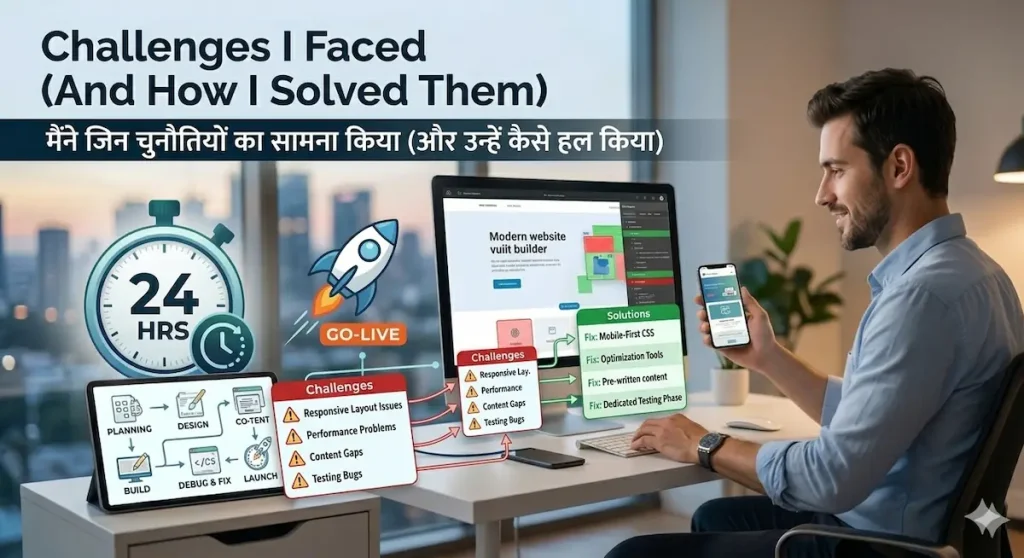
Challenges I Faced (And How I Solved Them)
Let’s be honest—creating a professional website in 24 hours sounds exciting… until you’re actually doing it. No matter how well you plan, a few challenges will definitely try to slow you down. The good news? Every problem has a solution (and sometimes a little patience… or snacks).
Time Pressure
The biggest challenge was the clock constantly ticking. Knowing I had limited time made every decision feel urgent. If you’re new to optimization, this beginner guide to SEO will help you understand how to rank your website effectively.
How I solved it:
I broke the work into small tasks and set mini-deadlines. Instead of thinking “build the whole website,” I focused on one step at a time. This kept me productive without feeling overwhelmed.
Design Confusion / Overthinking
At one point, I spent way too long deciding between two font styles—because apparently, that felt like a life-changing decision in the moment.
How I solved it:
I kept things simple. I followed a clean, minimal design approach and avoided unnecessary changes. Remember: users care more about usability than fancy design details.
Speed Optimization Issues
After adding images and plugins, I noticed the site was slowing down. Not exactly ideal when building a professional website in 24 hours.
How I solved it:
I compressed images, used a caching plugin, and removed any unnecessary features. A fast website is always better than a “feature-packed but slow” one.
Plugin Conflicts or Technical Errors
Ah, yes, the classic “install a plugin and something breaks” situation. A few plugins didn’t play nicely together, causing layout issues.
How I solved it:
I tested plugins one by one and only kept the essential ones. If something caused an error, I removed it immediately. Lesson learned: more plugins ≠ , better website.
Lessons Learned
By the end of this process, I realized that building a professional website in 24 hours is less about speed and more about smart decisions.
Here’s what I learned:
- Don’t aim for perfection—aim for completion
- Keep design simple and user-focused
- Use tools that save time, not add complexity
- Always prioritize speed and performance
In the end, these challenges didn’t stop me—they actually made the final result stronger. And honestly, overcoming them is what makes the whole journey worth it.
Final Results + Tips to Build Your Website Faster
After all the planning, designing, and a few “why isn’t this working?” moments, I finally had a complete professional website in 24 hours—and honestly, the result was better than I expected. It wasn’t just functional; it looked clean, modern, and ready to impress visitors. And the best part? It didn’t feel rushed.
What the Final Website Looked Like
The final design was simple but professional:
- Clean layout with clear sections
- Consistent color scheme and typography
- Easy navigation (no one likes getting lost on a website)
- Fast loading and mobile-friendly
Instead of overloading it with design elements, I focused on clarity and user experience—and it paid off.
Key Features Achieved in 24 Hours
Even within a limited time, I managed to include all the essentials:
- Fully responsive design
- SEO-friendly structure
- Contact form for easy communication
- Optimized images for speed
- Basic on-page SEO setup
This proved that building a professional website in 24 hours doesn’t mean cutting corners—it means focusing on what truly matters.
What I Would Improve Next Time
Of course, no project is perfect (and that’s okay). If I had more time, I would:
- Add more detailed content
- Improve design customization
- Enhance animations and interactions
- Work more on advanced SEO
But for a 24-hour project, the results were more than solid.
Actionable Tips to Build Your Website Faster
If you want to create your own professional website in 24 hours, here are some practical tips that made a huge difference:
- Don’t Aim for Perfection
Perfection slows you down. Focus on getting a clean, working website first—you can always improve later. - Use Templates Smartly
Pre-built themes save hours of work. Customize them instead of starting from scratch. - Focus on User Experience
Make sure your website is easy to navigate, readable, and useful. That’s what really matters. - Keep Design Simple
Simple designs look more professional and load faster. Avoid unnecessary clutter.
In the end, creating a professional website in 24 hours is completely achievable if you stay focused, use the right tools, and avoid overcomplicating things. Sometimes, less really is more—and faster too.
Conclusion
Creating a professional website in 24 hours may seem like a big challenge at first, but as this journey shows, it’s completely achievable with the right approach. From planning smartly and choosing the right tools to overcoming challenges and focusing on what truly matters, every step played a role in turning a simple idea into a fully functional website in just one day.
The key takeaway? You don’t need endless time or perfect skills to build something great. What you really need is clarity, focus, and a willingness to take action. Sure, there might be a few hiccups along the way (and maybe a moment or two of questioning your life choices), but that’s all part of the process.
If you’ve been putting off building your own site, this is your sign to start. Try creating your own professional website in 24 hours—you might surprise yourself with what you can achieve. And once you’re done, don’t forget to keep improving and learning.
You can also check out my related guides on web design tips and beginner-friendly website strategies to take your skills even further.